
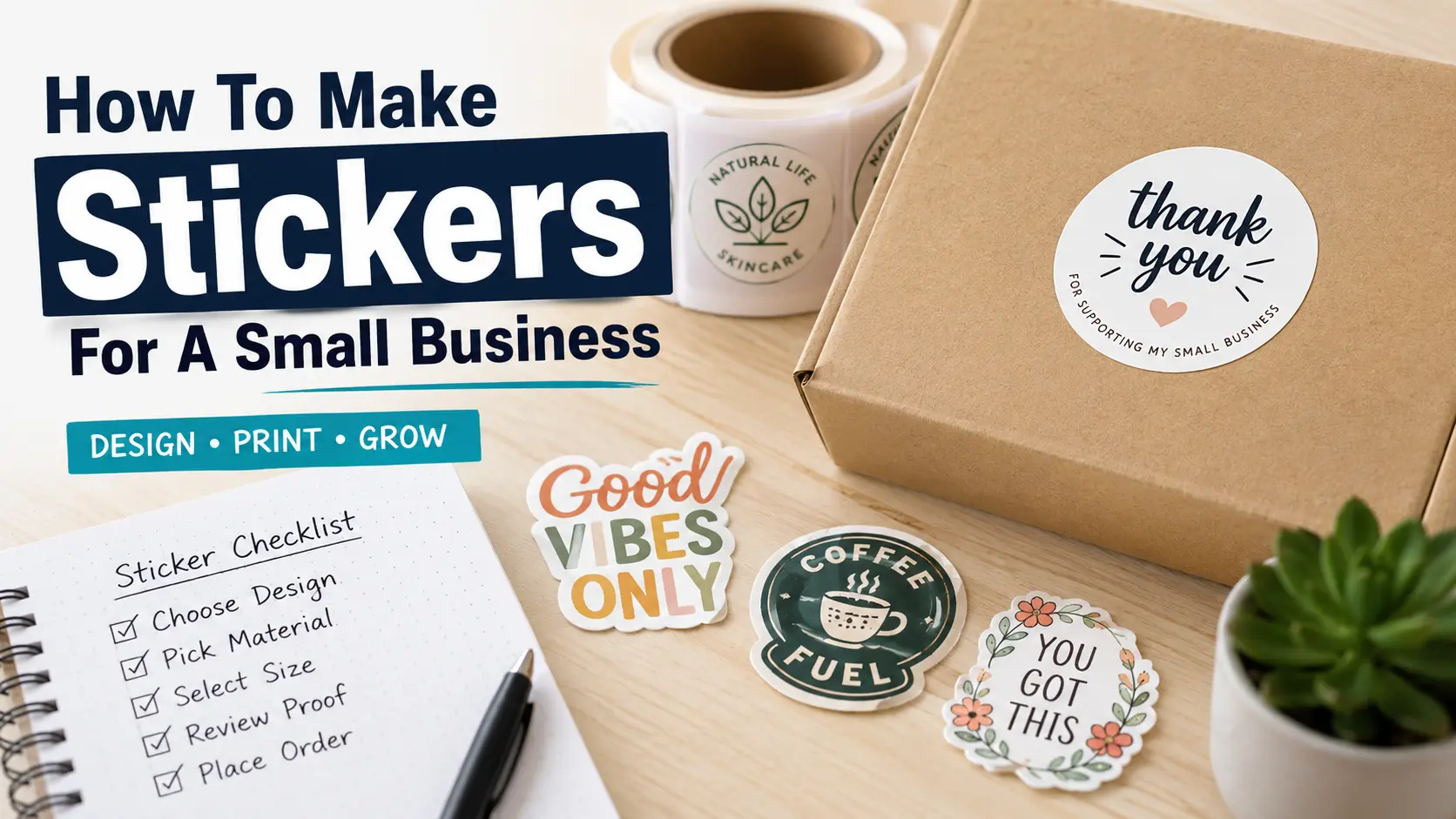
TLDR
- Start by deciding what job your sticker needs to do: packaging, branding, giveaways, labels, seals, or customer extras.
- Keep the design simple, readable, and sized for the surface where the sticker will be used.
- Choose the right format: die cut stickers for handouts, sticker sheets for variety, roll labels for packaging, and clear stickers for a clean no-background look.
- Use a professional printer like YouStickers when you need consistent quality, free proofs, durable materials, and stickers that are ready for customers.
- Always review the proof carefully before approving your order.
Small business stickers are easy to underestimate. They seem like a small detail until you see a plain box next to one with a clean branded seal, a thank-you sticker, or a polished product label. One looks finished. The other looks like it is still waiting for its final step.
Learning how to make stickers for a small business is not just about uploading a logo and picking a size. It is about matching the sticker to the job. A product label needs different choices than a laptop sticker. A bakery box seal is not the same as a trade show handout. And a tiny QR code sticker needs more planning than people expect.
The good news is that the process is simple once you break it down.
Start With The Sticker’s Job
Before you design anything, decide what the sticker is supposed to do.
A small business sticker usually has one of these jobs:
- Brand packaging
- Label a product
- Seal a bag, box, jar, or envelope
- Thank a customer
- Promote a sale, event, or launch
- Add a QR code
- Give customers something fun to keep
- Make shipping materials look more finished
- Turn a logo into a reusable brand asset
This matters because the purpose changes the design.
A logo sticker for customers should look good on a laptop, water bottle, cooler, or notebook. It can be bold and simple. A packaging label needs to fit the container and include the right information. A seal sticker needs to be easy to apply and sized so it closes the package cleanly. A QR code sticker needs enough white space and contrast so a phone can scan it.
This is one of those small planning steps that prevents a lot of reorders later.
Choose The Right Type Of Sticker
The best sticker format depends on where the sticker will go and how it will be used.
Die Cut Stickers
Die cut stickers are individually cut around the shape of the design. These are great for logos, mascots, illustrations, brand giveaways, laptop stickers, water bottle stickers, and event merch.
Choose die cut stickers when you want customers to keep the sticker.
They feel more like a product than a label. That makes them a good option for brand awareness, packaging inserts, and small business promos.
Kiss Cut Stickers
Kiss cut stickers have the sticker cut through the top layer while staying on a larger backing sheet. They are easier to peel and work well for delicate shapes, thin artwork, or designs with lots of small edges.
Choose kiss cut stickers when the design needs extra support around the edge.
Sticker Sheets
Sticker sheets are useful when you want several smaller designs together. A coffee shop could make a sheet with a cup, logo, pastry, loyalty icon, and short phrase. A boutique could make a sheet with seasonal graphics, care icons, and branded mini stickers.
Choose sticker sheets when variety matters.
Roll Labels
Roll labels are usually the best choice for product packaging. They are easier to apply in batches and work well for jars, bottles, boxes, mailers, bags, and retail products.
Choose roll labels when you need to label many products efficiently.
Clear Stickers
Clear stickers use transparent material, so the surface behind the sticker shows through. They are popular for glass jars, bottles, windows, and packaging where you want a cleaner no-background look.
Choose clear stickers when the surface should be part of the final look.
Pick A Size That Fits The Surface
Sticker size should be based on the real item, not just how the design looks on your screen.
For small business stickers, these sizes are common starting points:
| Sticker Use | Common Size Range | Notes |
|---|---|---|
| Logo handouts | 2 to 4 inches | Good for laptops, bottles, and packaging inserts |
| Product labels | 1.5 to 4 inches | Depends on jar, bottle, pouch, or box size |
| Thank-you stickers | 1 to 2.5 inches | Great for tissue paper, bags, and mailers |
| Box seals | 1.5 to 3 inches | Make sure the sticker reaches across the closure |
| QR code stickers | 1.5 inches or larger | Test scanning before ordering |
| Sticker sheets | 4×6 or 5×7 inches | Good for multiple small designs |
When in doubt, print your design on regular paper first. Cut it out and place it on the actual bag, bottle, box, jar, or mailer. This quick test makes sizing much easier.
A sticker that looks large on a screen may feel tiny on a shipping box. A label that looks clean in a mockup may wrap awkwardly around a small jar. Real-world testing helps.
Keep The Design Simple And Readable
A good small business sticker does not need to include everything.
In most cases, the best sticker design includes one main idea:
- Your logo
- Your product name
- A short phrase
- A simple illustration
- A QR code
- A thank-you message
- A clean label layout
Avoid squeezing too much onto one sticker. Small text, thin lines, and crowded layouts can become hard to read once printed.
A good rule: look at the sticker at the size it will actually be used. If you have to zoom in to understand it, simplify it.
For logo stickers, use a clean version of your logo. For packaging stickers, make the product name easy to read first. For thank-you stickers, keep the message short. “Thank you for supporting our small business” works because it is clear and familiar.
For QR code stickers, do not place the code too close to the edge. Give it breathing room. Also test it on a phone before ordering.
Use Brand Colors, But Think About Contrast
Brand consistency matters, but readability matters more.
A soft beige logo on a white sticker might match your brand palette, but it may not be readable from a normal distance. A pale pink label on a clear jar might look nice in a mockup, but it can disappear once the product is inside the container.
Use your brand colors, but make sure there is enough contrast between:
- Text and background
- Logo and sticker material
- Sticker and product surface
- QR code and surrounding design
- Border and cut edge
White vinyl stickers are usually the safest choice for strong color and contrast. Clear stickers can look polished, but they require more planning because the background affects the final appearance.
If your sticker needs to work on many surfaces, choose a solid background. If your sticker is designed for one specific glass jar or bottle, clear may work well.
Prepare The Artwork Correctly
You do not need to be a professional designer to make business stickers, but your file should be clean.
For logos, vector files are usually best. Common vector formats include AI, EPS, SVG, and PDF. Vector artwork can scale up or down without getting blurry.
For image-based artwork, use a high-resolution PNG or JPG. Try to use 300 DPI at the final print size when possible. That means the file should be sharp at the size you want to print, not just sharp as a tiny thumbnail.
Before uploading your sticker artwork, check these details:
- Is the text spelled correctly?
- Is the logo the right version?
- Is the background transparent if needed?
- Are the colors correct?
- Is the design centered?
- Is there enough space around the edges?
- Are thin lines thick enough to print cleanly?
- Does the QR code scan?
- Is the file high resolution?
Do not skip the boring checks. They are boring for about two minutes. A typo on 500 stickers is boring for much longer.
Decide Between DIY And Professional Printing
You can make stickers at home, and for some early tests that may be fine. A home setup might include printable sticker paper, a desktop printer, laminate sheets, and a cutting machine.
DIY stickers can work for:
- Testing rough design ideas
- Making a few samples
- Personal projects
- Very small batches
- Temporary labels
But DIY has limits. Materials may not be as durable. Colors may vary. Cutting can be inconsistent. Waterproofing can be tricky. And the time adds up fast if you are making stickers for actual customers.
Professional printing is usually better for small business use because the stickers need to look consistent. They also need to survive handling, shipping, moisture, and normal wear.
For a small business, a printer like YouStickers makes sense when you want custom stickers, roll labels, free online proofs, durable materials, and straightforward ordering without trying to manage every production step yourself.
Review The Proof Before You Approve
A proof is your chance to catch problems before printing.
When you order custom stickers online, the proof usually shows the size, shape, cut line, border, and general artwork placement. Review it carefully. Do not approve it just because the design looks familiar.
Check these things:
- Is the sticker the right size?
- Is the cut line where you expected?
- Is the border even?
- Is important text too close to the edge?
- Is the shape correct?
- Is the artwork centered?
- Is the material right?
- Is the finish right?
- Is the quantity right?
If something feels off, ask for a revision. That is the point of the proofing step.
This is especially important for die cut stickers, clear stickers, packaging labels, and anything with a QR code or small text.
Best Sticker Ideas For Small Businesses
Small business stickers work best when they feel useful, not random.
Here are a few practical ideas:
Logo Stickers
Logo stickers are the easiest starting point. Use them as packaging inserts, handouts, event swag, or customer freebies.
Keep the logo large enough to read. If your full logo has tiny text, consider using a simplified icon version.
Thank-You Stickers
Thank-you stickers are great for mailers, tissue paper, shopping bags, and product packaging. They make an order feel more personal without adding much complexity.
Good phrases include:
- Thank you for supporting our small business
- Packed with care
- Made for you
- Thanks for your order
- Your support means a lot
Simple works.
Product Labels
Product labels help customers understand what they are buying. Use them for candles, soaps, coffee bags, bakery boxes, jars, bottles, skincare products, and handmade goods.
Make the product name clear. Add only the information that belongs on the front. Extra details can go on a back label, hang tag, insert card, or product page.
Packaging Seals
Packaging seals are small but useful. They can close tissue paper, bags, boxes, envelopes, or product wrap.
Round stickers are common for seals because they are easy to apply and look clean.
QR Code Stickers
QR code stickers can send customers to a menu, review page, care guide, reorder page, social profile, or product instructions.
Make the QR code large enough to scan. Test it before printing. Then test it again on the actual sticker proof if possible.
Seasonal Stickers
Seasonal stickers work well for limited drops, holiday packaging, farmers markets, pop-ups, and gift orders.
You do not need a full rebrand. A small seasonal sticker can refresh your packaging without changing everything else.
Small Business Sticker Checklist
Before you order, run through this quick checklist:
- I know what the sticker is supposed to do.
- I chose the right format for that job.
- I tested the size on the real surface.
- The design is readable at final size.
- The file is high resolution.
- The text is spelled correctly.
- The QR code scans, if included.
- The colors have enough contrast.
- The material fits the use case.
- I reviewed the proof carefully.
This checklist is simple, but it covers most of the common mistakes.
How Many Stickers Should A Small Business Order?
Start with the amount you can realistically use.
For a first order, smaller quantities are useful because they let you test the design, size, material, and customer response. Once you know the sticker works, larger orders usually make more sense.
A local bakery testing a new box seal might start with a smaller batch. A candle brand with one signature label may need a larger quantity. A clothing brand making logo stickers for every order may reorder often once the design is settled.
There is no single right number. Match the quantity to your current workflow, not your best-case sales forecast.
Final Thoughts
Making stickers for a small business is mostly about clear choices.
Know the job. Pick the right sticker type. Keep the design readable. Test the size. Use the right file. Review the proof. Those steps matter more than chasing a complicated design.
A good sticker should make your packaging, product, or customer experience feel more finished. It does not need to be loud. It just needs to look intentional.
For most small businesses, the easiest path is to prepare a clean design and order through a custom sticker printer like YouStickers. That keeps the process simple and gives you a proofing step before production, which is exactly where many sticker mistakes get caught.
FAQs
What Kind Of Stickers Should I Make For My Small Business?
Start with logo stickers, thank-you stickers, product labels, or packaging seals. These are the most useful for everyday small business packaging and customer orders.
What Size Sticker Is Best For Small Business Packaging?
For packaging, 1.5 to 3 inches works for many seals and small labels. Product labels may need to be larger depending on the container. Test the size on the real packaging before ordering.
Should I Make Stickers At Home Or Order Them?
Make stickers at home if you are testing a rough idea or need a very small batch. Order professionally if the stickers will go to customers, be used on products, or need consistent quality.
What File Type Should I Use For Custom Stickers?
Vector files such as AI, EPS, SVG, or PDF are best for logos. High-resolution PNG or JPG files can also work well for artwork and images.
Are Vinyl Stickers Good For Small Businesses?
Yes. Vinyl stickers are a strong choice for small businesses because they are durable, versatile, and useful for packaging, giveaways, labels, bottles, laptops, and outdoor use.
Can I Put A QR Code On A Sticker?
Yes, but make the QR code large enough to scan and keep enough white space around it. Always test the QR code before approving the order.